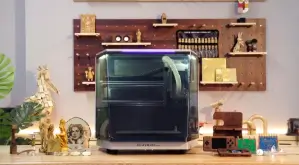
The dream of having a personal manufacturing factory on your desk is officially a reality. Not long ago, if you wanted to cut intricate wood panels, engrave custom metallic gifts, or print solid 3D plastics, you had to outsource the work to massive industrial facilities.
Today, desktop fabrication tools have completely democratized making. But for DIY creators, makers, and small business owners, choosing the right technology can be overwhelming. Should you invest in a Desktop CNC Router, a Laser Engraver, or a 3D Printer?
While all three tools allow you to turn digital files into physical objects, they do so using completely different mechanisms, materials, and workflows. Let’s compare them side-by-side to find the perfect match for your workshop.
1. 3D Printing: The King of Additive Creativity
3D printing is an additive manufacturing process. It builds objects from scratch, layer by layer, usually by melting plastic filament (FDM) or curing liquid resin with light (SLA).
[Digital 3D File] ➔ [Heated Extruder Melts Plastic] ➔ [Layers Stack Upward] ➔ [Finished Object]
- Best For: Prototyping, geometric shapes, functional plastic brackets, cosplay armor, and figurines.
- Primary Materials: PLA, ABS, PETG, Nylon, and TPU (flexible plastic).
- The Learning Curve: Relatively low. Once your bed is leveled and your slicer settings are dialed in, it is mostly a “click and print” experience.
2. Laser Engravers: The Master of Speed and Surface Details
Laser cutters and engravers use a highly focused, intense beam of light to burn, vaporize, or cut through flat sheets of material. It is a subtractive process that works purely on speed and thermal power.
- Best For: Customizing merchandise, etching detailed logos, cutting intricate acrylic panels, or personalizing leather and glass.
- Primary Materials: Plywood, leather, acrylic, cardboard, and anodized aluminum.
- The Learning Curve: Low to Moderate. Software like LightBurn makes it easy to drag, drop, and burn designs within minutes.
3. Desktop CNC Routers: The Heavy-Duty Sculptor
CNC (Computer Numerical Control) routers are mechanical giants scaled down for your desk. They use a high-speed spinning cutting bit (spindle) to physically carve and cut deep into raw material blocks.
- Best For: 3D relief carving, deep pocketing, furniture building, wooden signs, and structural metal components.
- Primary Materials: Hardwoods, MDF, plastics, carbon fiber, brass, and aluminum.
- The Learning Curve: High. You need to manage physical forces, choose correct feed speeds, and select the right carving bits to avoid breaking tools.
Desktop Technology Comparison Matrix
To see how these machines stack up across crucial everyday parameters, review the breakdown below:
| Feature | 3D Printer | Laser Engraver | Desktop CNC Router |
| Process Type | Additive (Builds up) | Subtractive (Burns away) | Subtractive (Carves away) |
| Material Strength | Moderate (Plastic-based) | N/A (Mainly flat sheets) | Extremely High (Solid wood/metal) |
| 3D Depth Capability | Full 3D objects | 2D Cutting & 2.5D Engraving | True 3D Contouring & Reliefs |
| Mess & Noise | Silent, low odor | Smoke & fumes (Needs venting) | Loud noise, flying wood dust/chips |
| Production Speed | Slow (Takes hours) | Fast (Takes minutes) | Moderate to Slow |
Beginner Breakdown: CNC vs. Laser Engraver
If you want to move beyond basic plastic printing and start working with premium raw materials like wood, leather, or aluminum, you will find yourself choosing between a spindle or a laser.
This specific choice is where many creators hit a roadblock. If you are struggling to make a definitive choice, checking a dedicated beginner CNC and laser engraver guide can help you weigh parameters like ventilation setups, software complexity, and initial investment limits to match your space.
Generally, if your focus is detailed surface branding, marking, and quick flat cutting, go with a laser. If your creative vision involves heavy wood shaping, structural joint joinery, and deep dimensional art, a CNC is non-negotiable.
Finding Reliable Hardware Across Ecosystems
Many budget desktop machines fail because their frames flex under load, ruining accuracy. If you are looking for structural rigidity that can handle multiple creative disciplines, Two Trees 3D desktop machines provide a fantastic, field-tested balance of rigid metal chassis, upgradeable modular heads, and highly active maker communities.
Whether you opt for their precise multi-axis CNC routers (like the TTC series) or high-power diode laser stations, having heavy-duty linear rails ensures your final product looks professional rather than homemade.
See also: Utility to Luxury: The Expanding World of Golf Carts
Final Verdict: Which One Should You Buy?
- Buy a 3D Printer if you want to manufacture complex plastic enclosures, functional mechanics, or artistic models with zero material waste.
- Buy a Laser Engraver if you run a small business focusing on high-speed customization, corporate gifts, wedding favors, and flat sheet merchandise.
- Buy a Desktop CNC Router if you want to feel the weight of real hardwood and metal in your hands, creating structural, timeless pieces that last generations.